XrmToolBox Plugin
Power Platform CLIx XTB
Power Platform CLIx (or "Clix" for short) lets you explore and run Power Platform CLI cmdlets through a graphical interface inside XrmToolBox. Browse, search, and execute commands without writing a single line of code. You can view parameters, documentation, and output for each cmdlet.
How to Use CLIx
Launch CLIx from XrmToolBox and start exploring the available cmdlets. Here is the main interface:
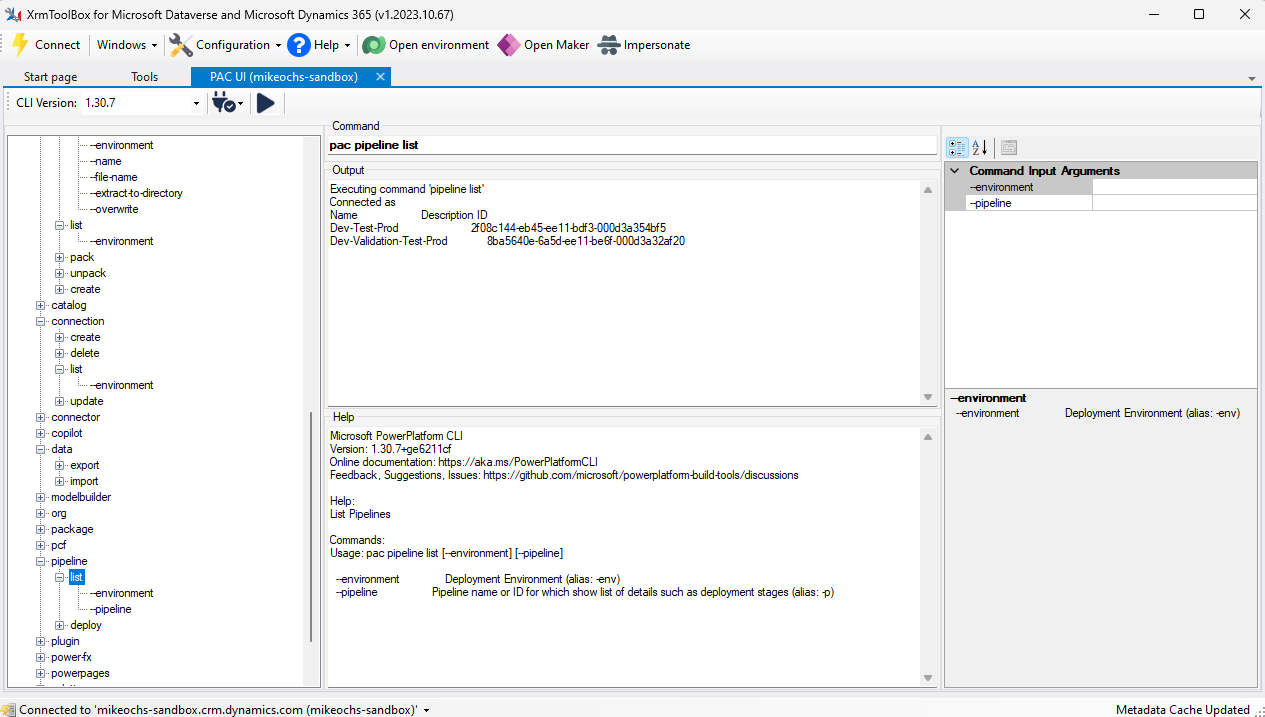
CLIx has three main panels:
- Left panel — lists all available commands grouped by noun and verb (e.g.
pipeline > listorsolution > import). Expand or collapse each group to see arguments and associated help. As you navigate, the command bar in the middle panel updates with the exact CLI command to run. - Middle panel — shows the current command with any arguments specified in the right panel, the output of the most recently run command, and the full help text for the selected cmdlet including name, description, syntax and parameters.
- Right panel — shows the arguments for the selected noun/verb combination. Select an argument to see its description and enter a value in the Command Input Arguments field.
To run a cmdlet, select it from the list, provide any arguments, and click Run in the menu. You can usually try running without arguments first — any required parameters will be reported in the output. You can also type a command directly into the command textbox.
The menu also lets you choose from existing authentication profiles to switch environments, or sync the CLI connection to the current XrmToolBox connection. If CLIx can't find a matching connection, it will prompt you to create one using the auth > create cmdlet with values pre-filled from the current XrmToolBox connection.
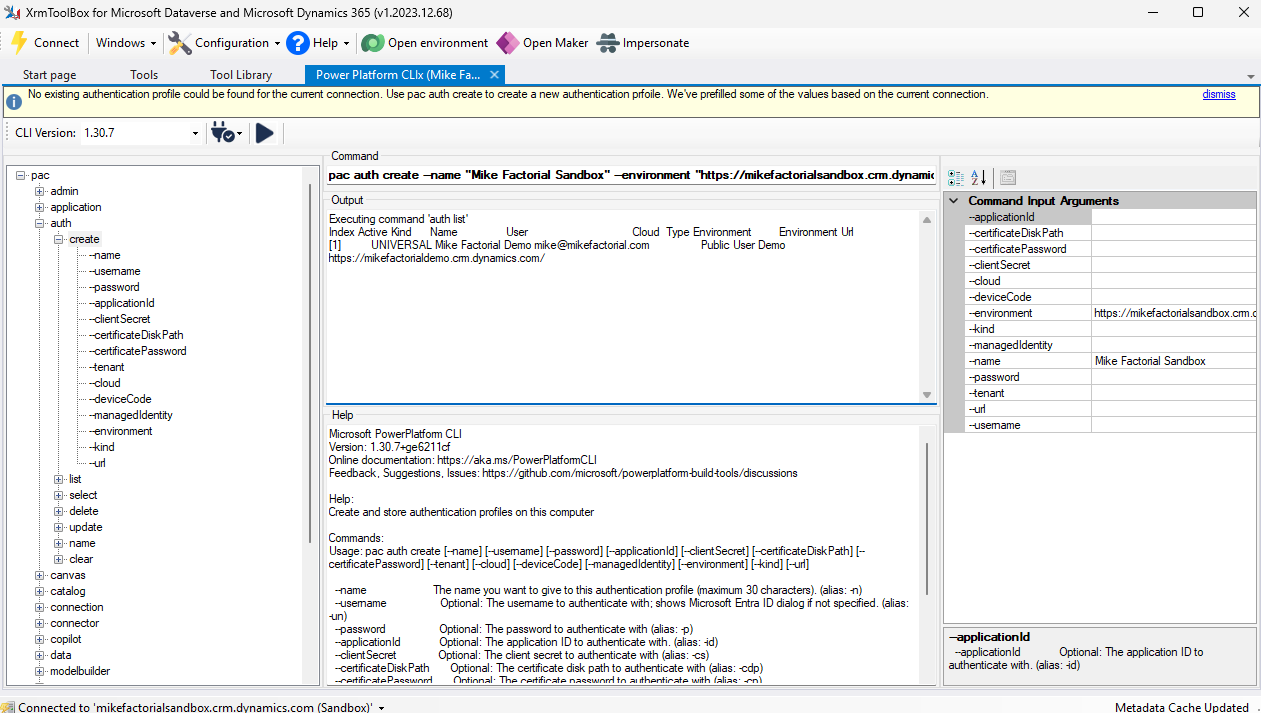
You can also install and run commands from any published version of the Power Platform CLI by selecting the version from the CLI Version dropdown. This lets you try newer versions while being able to roll back if something breaks.
Have issues or feedback? Open an issue on GitHub — I'd love to hear from you.