Troubleshooting oAuth with Multi-Tenant Dynamics 365 Applications
I’ve been fighting with an issue in my Azure Bot Framework Bot connecting to Dynamics 365 as a multi-tenant application for the last couple of days and finally figured out the issue was a simple change to the authority url I was using for the oAuth authentication.
My code looked like this
AuthenticationContext authContext = new AuthenticationContext(ConfigurationManager.AppSettings);
            var authResult = authContext.AcquireTokenByAuthorizationCodeAsync(
            code, new Uri(ConfigurationManager.AppSettings),
            new ClientCredential(ConfigurationManager.AppSettings,
            ConfigurationManager.AppSettings));
In this case the value in the web.config for CrmAuthority was
https://login.microsoftonline.com/
This worked great, but only when I connected to a Dynamics organizations I had tied to my Azure AD account. Unfortunately, I couldn’t connect to a Dynamics instance tied to an external Azure AD account. Whenever I tried I got the following message.
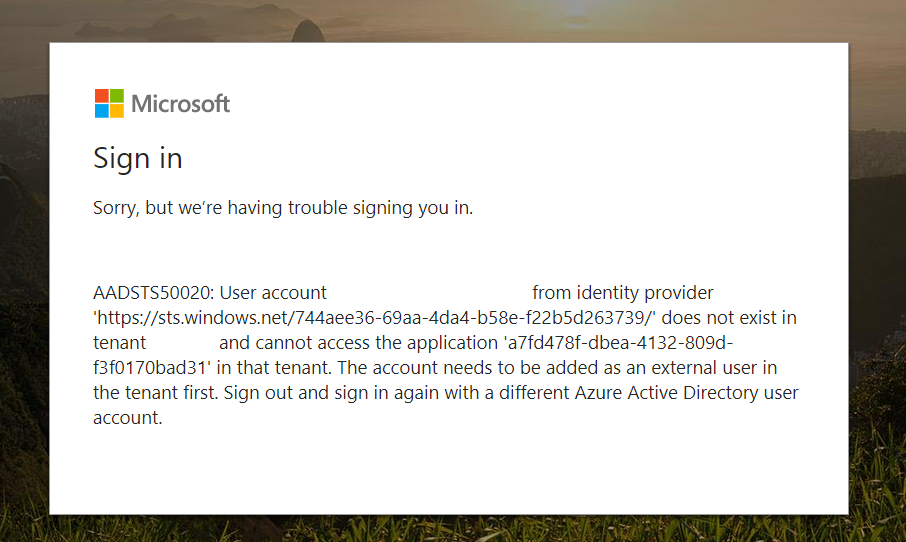
“AADSTS50020: User account ‘soandso@soandso.com’ from identity provider ‘https://sts.windows.net//’ does not exist in tenant ‘Soandso’ and cannot access the application ” in that tenant. The account needs to be added as an external user in the tenant first. Sign out and sign in again with a different Azure Active Directory user account.”
I checked, double checked and triple checked that my Azure AD Application was set to be multi-tenant and couldn’t figure out why I would be getting this error until I finally ran across this thread on StackOverflow. The sole answer says to ensure that you are using /common/ for the authorization link. That was it! I updated the web.config for CrmAuthority from
https://login.microsoftonline.com/
to
https://login.microsoftonline.com**/common/**
and I was able to login to my app with external accounts. So, if you run into the error above and you believe you’ve done everything right make sure you are using the /common/ in your url otherwise your application won’t work with external accounts.